
Business case
The client manually processed the bank statements they received in PDF format. Every transaction had to be entered by hand into the ERP, then checked so the opening and closing balances matched. The process itself was simple but tedious: five fields per transaction, 10 to 15 lines a day, with the error risk that comes from repeating the same task dozens of times while tired.
Proposed solution
A Python script that reads the PDF files directly and inserts the records into the ERP, run on demand whenever the user receives a new statement.
The application
A desktop app, for Windows and Mac, that looks like this:
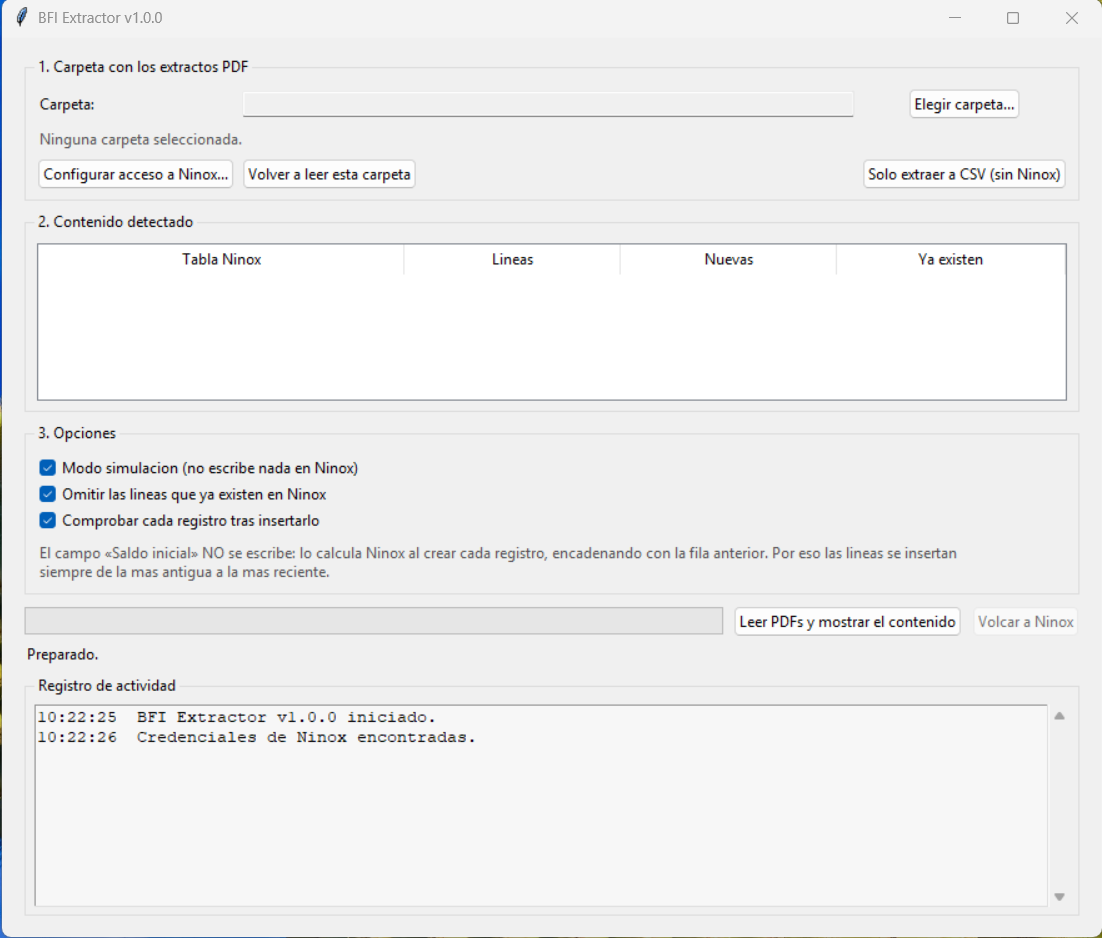
- The user picks the folder where the PDFs to process are saved.
- The app reads each PDF, identifies which table it belongs to (each statement is linked to an account number) and how many lines it contains.
- If it finds lines already inserted in the ERP, the system skips them instead of duplicating them.
- The app reports how many lines it inserted, how many it skipped as duplicates, and confirms to the user once the process is complete.
Time and money saved
The client was processing about 50 lines a week, at a cost of one hour of work. The automation saves roughly 4 hours a month — about 300 euros in company cost.